
IAW

iaw-white-logo iosandweb technologies
Categories
Blog

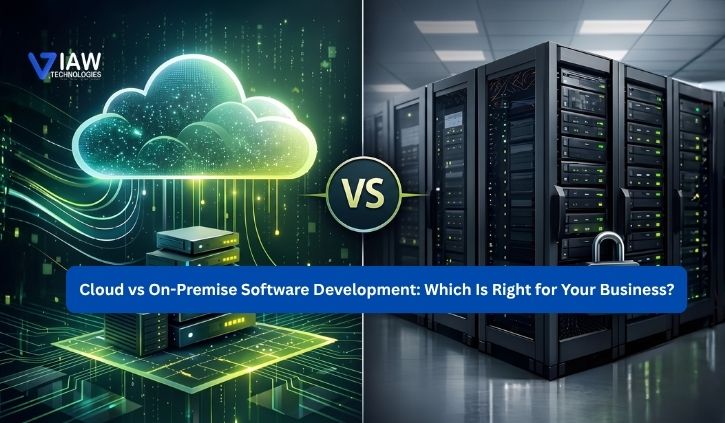
Cloud vs On-Premise Software Development: Which Is Right for Your Business?

Today, the business world must be equipped with software that can develop and adapt; enable workers from many distant locations to collaborate on the same project; that will protect confidential information; and that will prove to be an efficient investment to future trends.
. Software deployment models make some critical choices when making decisions for their software.

However, cloud vs on-premises software development is not just about where you host the software anymore. It includes aspects like the ease of scalability, data security, how much control you will have over your infrastructure, speed of deployment, maintenance, and more.

Then, between cloud and on-premises software development, which one is the right choice for your business? It is absolutely dependent on your business needs, your budget, your security, and future growth

Cloud Software Development: What Does It Mean?

Cloud software development refers to applications designed to run on a cloud computing environment instead of on-premises servers in your workplace. When choosing between cloud and on-premises deployment, businesses should evaluate their current technology environment and long-term requirements. The cloud service provider will provide the application with all other necessary computing services, like storage, networking, database management, and hosting on the cloud.

Organisations can allocate the resources needed on the fly and scale their applications in the cloud without purchasing more hardware components on their premises. Cloud software solutions are attractive to young businesses, digital products and dispersed organizations because computer resources are at our command instantly.


Also, cloud-based software development enables contemporary methods like continuous integration, continuous delivery, containers, managed databases and cloud-native architectures.

On-Premise Software Development: What Does It Mean?

On-premises software development relies on an organization to have applications developed that it will run on hardware, infrastructure, and systems that it itself owns or directly controls. When using on-premises development, the business itself generally controls and provides all necessary hardware, networks, hosting, security, and administration and the deployment, backups, upgrades, and maintenance of all software.
This on-premises approach puts great control back in the hands of a business over the hardware and information.


It is an on-premises development that best fits businesses that operate with data security requirements that must remain internal; have existing, complex IT structures and policies that must remain under the full control of the business; have specialised systems that may be highly proprietary or legacy; and any business where certain strict security or operational controls must remain at the discretion of the business owner.

Also, cloud-based software development enables contemporary methods like continuous integration, continuous delivery, containers, managed databases and cloud-native architectures. Virtualization in Cloud Computing helps businesses use computing resources efficiently by allowing multiple virtual environments to run on shared physical infrastructure.

Cloud vs On-Premise Software: Key Differences

The difference between cloud software and on-premises software becomes clearer when comparing their approach to infrastructure and resource management.

Scalability: Cloud environments can scale resources according to application demand, while on-premises systems may require additional hardware and infrastructure upgrades.

Deployment: Cloud platforms can enable faster software deployment because infrastructure resources can be provisioned digitally. On-premises deployments may require physical configuration and internal IT coordination.

Maintenance: Cloud providers typically manage significant portions of the underlying infrastructure, whereas on-premises environments require the organization to manage its own servers and infrastructure.

Accessibility: Cloud applications can generally be accessed from different locations with appropriate authentication and network connectivity. On-premises applications may depend more heavily on internal network configurations.

Data control: Physical resources controlled by an on-premises system. A shared physical resource within a public cloud where responsibility for securing the resources is shared between the provider and client.

Benefits of Cloud Software Development

The benefits of cloud software development go beyond reducing dependence on physical servers. When implemented correctly, cloud solutions can help businesses build a more flexible and scalable technology environment.

Greater Scalability

Cloud infrastructure provides companies with the flexibility to ramp up and down as needed for the amount of computing resources. For applications that are heavily seasonal, experience unexpected spikes in traffic or very high traffic growth.

Faster Deployment

Allows development teams to provision environments and deploy applications quicker without the lag caused by purchasing and configuring the underlying hardware infrastructure. This may lead to shorter development lifecycles and more frequent delivery of enhancements by the business.

Flexible Accessibility

Users, clients or employees located remotely may all benefit from cloud-based applications. With appropriate security and authentication mechanisms, users can authenticate and use applications from outside of the office environment. 

Reduced Infrastructure Management

With the adoption of clouds, the necessity to buy and to maintain physical infrastructure will be decreased. The company will need to be much more concentrated on its applications and on its own business processes and leave many operational burdens with the cloud provider.

Improved Business Agility

The cloud allows you to experiment easily, launching new services, increasing resources, or scaling technology based on your business’ needs at any given time. This flexibility is often of special concern for many young businesses and fast-growing companies.

When Does On-Premise Software Make More Sense?

Cloud adoption is the best answer to most enterprises… but not all. The difference between cloud software vs on-premise software becomes clearer when comparing their approach to infrastructure and resource management. If a company wants to use a proprietary stack on a specific type of hardware, has numerous sensitive workloads, meets compliance requirements, or runs many complex and monolithic applications on its own hardware, an on-premises solution might work for the enterprise.

It ensures a higher level of control over hardware configuration, network architecture, software builds and versions, data storage solutions, etc.

Yet, increased control implies increased responsibility. For an on-premises structure, you are in control of all the hardware failures, machine maintenance, hardware replacements, backup processes, and disaster recovery, and all of this must have someone monitoring it and securing it from breaches of security. 

Cloud or On-Premise Software for Business: How to Choose?

A choice between cloud and on-premises implementation also requires businesses to examine where current technology is and where it needs to be. Consider factors such as security of data, scalability, IT infrastructure, where hosting is located, price of maintenance and ongoing costs, how to implement new software, legality/compliance issues, who can access information and who controls it, and more.

If your business has and expects to experience rapid expansion, cloud software is likely right for you.

On the flip side, if your business demands a huge amount of control over its IT infrastructure, on-premises makes more sense. Or it could even be a hybrid approach encompassing both the previous models. Clearly, the ultimate decision depends on what kind of technology isn’t quite as in the foreground—your specific needs concerning security, operational demands, and the future.

Organizations should begin any cloud migration by determining what software it will utilise, where its data is, the kind of security it needs for those applications and its data, and how it is going to support everything over the long term. 

Final Thoughts

There are pros for both cloud and on-premises solutions, including the following: cloud software development is scalable, agile, and flexible; deploys faster; and requires less physical infrastructure for the client, while on-premises allows for more direct control over the data and infrastructure for software vendors.

As any organization contemplating new applications should have its goals in sight, early consideration of these elements ensures a business does not suffer unnecessary costs of infrastructure or technical restraints down the line. Using an appropriate custom software development strategy, a business should design a solution that remains productive, secure, and scalable for its future use and value.

Frequently Asked Questions

What is the difference between cloud and on-premises software?

Cloud software runs on cloud infrastructure, while on-premises software runs on the company’s own IT infrastructure.

Is cloud software better than on-premises software for businesses?

Cloud software is ideal for businesses needing scalability, flexibility, and faster deployment, while on-premises software offers greater data control.

What are the benefits of cloud software development?

Key benefits of cloud software development include scalability, faster deployment, remote accessibility, and reduced infrastructure maintenance.

Which is more secure: cloud or on-premises software?

Both can be secure. Data security depends on proper architecture, access controls, monitoring, and security practices.
Categories
Blog

Virtualization in Cloud Computing – A Complete Guide

Cloud computing has transformed the way business is done, and at the center of this revolution is a marvelous technology: cloud computing virtualization. In this ultimate guide, we will guide you through everything you need to learn about this groundbreaking technology, including virtualization in cloud computing, that is reshaping the digital world.

What is Virtualization in Cloud Computing

Virtualization in cloud computing is the action of creating virtual replicas of actual computing resources like servers, storage devices, networks, and even operating systems. Imagine a few virtual copies of your computer hardware that may coexist and operate independently, each with its own operating system and application suite.

Virtualization is basically a relationship between software programs and physical hardware on which they run. Rather than dedicating individual physical machines to an application, virtualization can allow several VMs to run on a single hardware machine while remaining fully isolated from one another.

The Foundation of Modern Cloud Services

All of the big cloud providers you deal with now – from Microsoft Azure to Amazon Web Services – depend basically on virtualization technology. When you launch a server instance in the cloud, you are fundamentally asking for a block of virtualized resources out of some much larger physical facility.

How Does Virtualization Work in Cloud Environments

To understand the virtualization mechanisms within cloud computing, an individual should be capable of understanding the function of the hypervisor or Virtual Machine Monitor (VMM). The vital layer of software is a go-between between physical hardware and virtual machines, managing the allocation of resources and providing isolation in a secure fashion.

The Hypervisor: The Heart of Virtualization

There are two kinds of hypervisors that fuel cloud virtualization

Type 1 Hypervisors (Bare-metal): These execute directly on the underlying hardware without the support of a host operating system. VMware vSphere, Microsoft Hyper-V, and Citrix XenServer are some of the examples. They are used in business cloud infrastructure because they are more secure and perform better.

Type 2 Hypervisors (Hosted): These are executed over a standard operating system. Though more convenient to set up and handle, they have generally weaker performance than Type 1 hypervisors.

Resource Allocation and Management

The hypervisor tracks and allocates physical resources – CPU cycles, memory, disk space, and network bandwidth – to virtual machines on the basis of priority and need. Dynamic allocation maximizes the utilization of resources over the entire infrastructure.

Cloud Computing Virtualization Models

Cloud virtualization comes in numerous various forms, each used for particular use and purpose:

Server Virtualization

Server virtualization is the most prevalent type of cloud virtualization. Multiple virtual servers are created on a single piece of hardware. This is done purely to optimize hardware usage and lay the groundwork for Infrastructure as a Service (IaaS) deployments.

Storage Virtualization

It aggregates physical storage across several devices and gives it the impression of being a single logical storage device. Cloud storage services leverage this to offer scalable fault-tolerant storage solutions without revealing the complexities of underlying storage hardware.

Network Virtualization

Network virtualization provides virtual networks above the physical network hardware without depending on it. Software-Defined Networking (SDN) and Network Function Virtualization (NFV) are an excellent example of this technology in practice.

Desktop Virtualization

Typically referred to as Virtual Desktop Infrastructure (VDI), this technology provides end-users with desktops over a network. It’s most useful for remote work scenarios and carries your desktop experience over to any device, anywhere.

Application Virtualization

This method isolates applications from the underlying operating system to execute in isolated environments. Containerization utilities such as Docker are a new norm for application virtualization.

Key Benefits of Virtualization in Cloud Computing

Virtualization in cloud computing is beneficial in several ways and is the reason why it has become so common:

Cost-Saving and Resource Optimization

Physical servers are not utilized efficiently in old IT infrastructure with 10-15% average utilization. Virtualization improves on this considerably by allowing numerous virtual machines to share physical resources with utilization rates of 70-80%.

This consolidation results in huge cost savings in various ways:

Hardware purchase costs reduced

Less electricity and air conditioning consumed

Fewer data center space needs

Simplified maintenance and management burden

Increased Scalability and Flexibility

Cloud virtualization provides unfettered scalability. Businesses can quickly deploy new virtual machines, reassign resources, and scale applications up or down as needed – without the need to buy new hardware.

This type of flexibility is especially useful for businesses that have fluctuating workloads and enables them to only pay for resources used by them.

Enhanced Disaster Recovery and Business Continuity

Virtual machines are simple to back up, clone, and restore, thus disaster recovery is easy. Virtual machines can be rapidly transferred to healthy physical servers in the case of hardware failure, hence reducing downtime and business disruption.

Enhanced Security and Isolation

Virtualization in cloud computing offers robust isolation between virtual machines sharing the same physical hardware. Even when one VM is attacked, the vulnerability generally cannot be spread to other VMs sharing the same host, securely storing security incidents.

Simplified Management and Automation

Virtualized environments provide centralized management features, whereby IT staff can observe, set up, and manage hundreds or thousands of virtual machines from a single point of control. Centralization provides powerful automation features that substantially minimize manual intervention and human faults.

Virtualization Technologies and Platforms

Cloud computing’s virtual environment comprises multiple technologies and platforms with their respective strengths:

VMware vSphere

The enterprise virtualization market leader, VMware vSphere offers extensive virtualization capabilities with features like VM live migration with vMotion and load balancing dynamically with Distributed Resource Scheduler (DRS).

Microsoft Hyper-V

Since its addition in Windows Server, Hyper-V has very strong virtualization capabilities with tight integration with the Microsoft infrastructure. It is widely used within organizations already committed to Microsoft technology.

KVM (Kernel-based Virtual Machine)

A free hypervisor integrated into the Linux kernel, KVM drives numerous cloud platforms such as OpenStack and is popular with cloud service providers due to its performance and affordability.

Citrix XenServer

Impressed with solid performance and security features, XenServer is ubiquitously used in enterprise configurations and drives Amazon Web Services’ EC2 cloud platform.

Container Technologies

Though not virtualization itself, containerization technologies Docker and Kubernetes are the next step after application virtualization, providing a lightweight alternative to a full virtual machine.

Implementation Strategies and Best Practices

Successful implementation of virtualization within cloud computing requires proper planning and compliance with best practices:

Planning and Assessment

Prior to virtualization, perform an actual audit of your existing infrastructure, applications, and loads. Determine which applications are candidates for virtualization and resource needs.

Right-sizing Virtual Machines

Prevent over-provisioning of virtual machines. Begin with lean resource assignments and build up from there. This technique maximizes resource utilization and cost savings.

Security Considerations

Use good security practices such as network segmentation, access controls, encryption, and frequent security patches. Keep in mind that virtualization adds new attack vectors that must be remediated.

Performance Monitoring and Optimization

Track virtual machine usage, resource usage, and application utilization in real-time. Leverage that data to fine-tune resource allocations and catch potential problems before they affect users.

Backup and Disaster Recovery Planning

Create robust backup plans keeping in mind the dynamic characteristics of virtualized environments. Periodically test recovery processes so they function when required.

Challenges and Limitations

While virtualization within cloud computing has many advantages, it is advisable to know its constraints:

Performance Overhead

Virtualization introduces a low overhead on performance from the hypervisor layer. While today’s hypervisors reduce it as much as possible, performance-sensitive applications will need to be handled with care.

Complexity in Management

While virtualization does make much of IT management easier, it introduces a number of levels of complexity as well. Virtualized environments do not lend themselves easily to management by common skills and tools.

Licensing Problems

Licensing software in a virtual space is complicated with vendors employing different models that can drive up expenses or bring about compliance headaches.

Security Concerns

Although virtualization will deliver enhanced security from isolation, it also presents new attack surfaces. The vulnerabilities of the hypervisor can potentially compromise all the virtual machines on a host.

Future of Virtualization in Cloud Computing

The future of virtualization within cloud computing is towards a range of intriguing advances:

Edge Computing Integration

With edge computing expanding, virtualization will form the core of application distribution and management across edge locations, leading computation closer to users and devices.

Enhanced AI and Machine Learning Support

Virtualization infrastructure is changing with enhanced AI and ML workload support, with optimized virtual machines for specialized GPU compute and high-performance computing.

Enhanced Security Capabilities

Future virtualization platforms will include improved security capabilities as features in the shapes of micro-segmentation, encrypted virtual machines, and hardware security enclaves.

Serverless and Function-as-a-Service Innovations

Serverless is an innovation of virtualization concepts where more infrastructure abstraction layers are stripped away from developers.

Conclusion

Cloud computing virtualization has transformed the way we design and utilize computational capabilities. Ranging from its application in facilitating economical use of infrastructure to encouraging the scalability, elasticity of services that characterize modern-day cloud computing, virtualization is an integral technology.

As companies continue to go digital, knowledge and proper implementation of virtualization projects will become the key to success. The technology will keep developing, with new innovations pushing virtualized environments more efficient, secure, and able to take on new workloads.

Whether you’re an IT professional looking to update your infrastructure or a business leader wanting to learn more about the technology powering your cloud services, virtualization in cloud computing is both a reality now and a platform for tomorrow’s innovation. By adopting virtualization thoughtfully and intentionally, organizations can realize unprecedented levels of efficiency, flexibility, and capability from their IT operations.