
IAW

iaw-white-logo iosandweb technologies
Categories
Blog

Low-Code vs No-Code: Which Is Better for Rapid App Development?

The pressure to digitize faster has never been more intense. Businesses need applications yesterday, not next quarter. Enter low-code vs no-code development platforms—two revolutionary approaches that promise to slash development time from months to days. But which one actually delivers on that promise?

If you’re standing at this crossroads, you’re not alone. Organizations across industries are grappling with this decision, and the stakes are high. Choose wrong, and you might end up with technical debt, scalability nightmares, or applications that simply can’t do what you need them to do.

Let’s cut through the marketing hype and explore what really matters.

Understanding the Fundamentals

Before diving into the low-code vs no-code development debate, let’s establish what we’re actually comparing.

No-code platforms are visual development environments designed for non-technical users. Think drag-and-drop interfaces, pre-built templates, and point-and-click configuration. The entire premise is that anyone—regardless of coding knowledge—can build functional applications.

Low-code platforms take a hybrid approach. They provide visual development tools but also allow developers to write custom code when needed. This flexibility makes them suitable for both citizen developers and professional programmers working on more complex projects.

The fundamental difference? Customization depth and technical flexibility.

The No-Code Advantage: Democratizing Development

No-code platforms have sparked a revolution by putting application development into the hands of business users. Marketing managers can build campaign tracking tools, HR professionals can create onboarding workflows, and operations teams can design inventory management systems—all without writing a single line of code.

Speed to Market

When it comes to rapid app development, no-code platforms excel at getting minimum viable products (MVPs) launched quickly. Simple applications like form builders, approval workflows, or internal dashboards can go from concept to deployment in hours or days rather than weeks.

Accessibility and Empowerment

No-code democratizes development. Subject matter experts who understand business problems best can now create solutions directly, eliminating the communication gap between business stakeholders and IT departments. This citizen developer movement reduces bottlenecks and accelerates innovation.

Cost Efficiency

Without the need for specialized development talent, no-code platforms significantly reduce project costs. Subscription-based pricing models make them accessible even for small businesses and startups with limited budgets.

Low-Code Development: Power Meets Flexibility

While no-code platforms target business users, low-code vs no-code development discussions often reveal that low-code platforms serve a different master: the need for sophisticated, scalable applications that still benefit from rapid development.

Customization Without Limits

Low-code platforms shine when pre-built components aren’t enough. Need to integrate with legacy systems? Require complex business logic? Want to implement custom algorithms? Low-code development accommodates these needs by allowing developers to inject custom code where necessary.

This flexibility means you’re not boxed in by platform limitations. As your application grows and requirements evolve, low-code platforms can scale with you.

Professional Developer Productivity

For experienced developers, low-code platforms dramatically accelerate routine tasks. They handle boilerplate code, database connections, user authentication, and UI components automatically, letting developers focus on unique business logic and complex features.

The result? Professional developers can be 5-10 times more productive on low-code platforms compared to traditional coding approaches.

Enterprise-Grade Capabilities

Low-code platforms typically offer robust features that enterprises demand: advanced security controls, compliance certifications, sophisticated integration capabilities, and governance tools. These aren’t afterthoughts—they’re built into the platform architecture.

The Limitations You Need to Know

Every silver lining has its cloud, and the low-code vs no-code development landscape is no exception.

No-Code Constraints

No-code platforms hit walls faster than you might expect. Complex conditional logic, advanced data manipulations, or unique user experiences often require workarounds that feel more like hacks. When your application needs exceed what the platform offers, you’re stuck.

Vendor lock-in is another concern. Your entire application exists within a proprietary ecosystem. Migrating away can be difficult or impossible, and you’re entirely dependent on the vendor’s roadmap and pricing decisions.

Low-Code Complexity

While marketed as accessible, low-code platforms still require technical knowledge. The learning curve is significant, and truly leveraging their power demands understanding of software architecture, data modeling, and integration patterns.

Additionally, low-code development can lead to technical debt if not managed properly. Quick visual development can mask poor architectural decisions that become expensive to fix later.

Choosing the Right Platform: A Strategic Framework

So, in the low-code vs no-code development showdown, which should you choose? The answer depends on several critical factors.

Consider No-Code When You Need:

  • Simple, straightforward applications with limited complexity
  • Rapid prototyping to validate business ideas quickly
  • Citizen developer empowerment for business teams
  • Limited technical resources and budget constraints
  • Departmental tools that won’t require extensive integration

Choose Low-Code When You Need:

  • Custom functionality beyond standard templates
  • Complex business logic and data processing
  • Enterprise integration with multiple systems
  • Scalability for thousands or millions of users
  • Professional development teams seeking productivity gains
  • Regulatory compliance requiring custom security controls

The Hybrid Reality: Why Not Both?

Here’s where many organizations get it right: they don’t choose exclusively. A mature digital strategy often employs both approaches strategically.

Use no-code platforms for departmental tools, quick experiments, and empowering business teams. Deploy low-code development for customer-facing applications, integrated systems, and scalable solutions. This hybrid approach maximizes rapid app development benefits while maintaining the flexibility to grow.

Real-World Performance: What the Data Shows

Recent industry analysis reveals that low-code vs no-code development platforms both deliver on the promise of speed, but with different outcomes.

Organizations using no-code platforms report 50-70% faster time-to-market for simple applications compared to traditional development. However, 40% hit platform limitations requiring costly workarounds or complete rebuilds.

Low-code development shows 60-80% productivity gains for professional developers while maintaining 90% of applications without hitting critical platform constraints. The investment in developer training pays dividends in long-term flexibility and scalability.

Making Your Decision

The low-code vs no-code development question isn’t about which platform is objectively better—it’s about which aligns with your specific needs, technical capabilities, and strategic goals.

Start by honestly assessing your requirements. Map out the complexity of your planned applications, evaluate your team’s technical skills, and consider long-term scalability needs. Test both platform types with proof-of-concept projects before committing to enterprise-wide adoption.

Remember, rapid app development isn’t just about speed—it’s about building sustainable solutions that deliver value without creating future problems. Whether you choose low-code, no-code, or both, make sure your decision supports not just today’s needs but tomorrow’s growth.

The future of application development isn’t exclusively low-code or no-code—it’s about strategically leveraging the right tools for the right problems at the right time.


Categories
Blog

Why Full Stack UI/UX Designers Are in High Demand Today

The design landscape has undergone a seismic shift in recent years. Gone are the days when designers could simply hand off beautiful mockups and consider their job done. Today’s digital ecosystem demands professionals who can conceptualize, design, and bring their visions to life—enter the full stack UI/UX designer, a hybrid role that’s taking the tech industry by storm.

If you’ve been paying attention to job boards, salary reports, or conversations within the design community, you’ve likely noticed something striking: companies aren’t just looking for UI designers or UX designers anymore. They’re hunting for that rare breed of talent who can do it all. But what’s driving this explosive demand, and why are full stack UI/UX designers commanding premium salaries and multiple job offers?

Understanding the Full Stack UI/UX Designer

Before we explore the “why,” let’s clarify the “what.” A full stack UI/UX designer is a professional who possesses expertise across the entire design spectrum—from user research and information architecture to visual design and front-end implementation. They’re equally comfortable conducting user interviews, creating wireframes, designing pixel-perfect interfaces, and writing the HTML, CSS, and JavaScript to bring those designs to life.

Think of them as the Swiss Army knife of the design world. Where traditional designers might specialize in one area, full stack designers bridge multiple disciplines, creating a seamless flow from concept to implementation.

The Business Case: Why Companies Are Investing in Versatile Designers

Faster Time to Market

In today’s hyper-competitive digital landscape, speed is everything. Companies that can iterate quickly and launch products faster gain significant market advantages. When you have a full stack UI/UX designer on your team, you eliminate the communication gaps and handoff delays that plague traditional workflows.

Instead of a designer creating mockups, then waiting for a developer to interpret and implement them (often incorrectly), full stack designers can move directly from concept to functional prototype. This streamlined process can cut weeks off development cycles, allowing companies to respond to market demands and user feedback with unprecedented agility.

Cost Efficiency Without Compromising Quality

Let’s address the elephant in the room: hiring is expensive. Between recruitment costs, salaries, benefits, and onboarding, building a team is one of the largest investments any company makes. For startups and small-to-medium businesses especially, having one professional who can handle multiple roles isn’t just convenient—it’s often necessary for survival.

A full stack UI/UX professional can do the work of two or even three specialists in certain contexts. While they command higher salaries than single-discipline designers, they’re still more cost-effective than maintaining separate UI designers, UX researchers, and front-end developers. This efficiency becomes even more valuable in remote-first environments where coordination across multiple time zones can slow progress.

The Evolution of User Expectations

Users Demand Seamless Experiences

Today’s users are sophisticated. They’ve interacted with products designed by companies like Apple, Google, and Airbnb. Their expectations aren’t just high—they’re non-negotiable. A beautiful interface means nothing if the user experience is clunky. Similarly, thoughtful UX falls flat if the visual execution is poor or the implementation is buggy.

Full stack UI/UX designers understand this holistic view inherently. Because they work across the entire stack, they can ensure consistency from the initial user research insights through to the final interactive elements. They don’t just design for ideal scenarios; they design with technical constraints and implementation realities in mind.

The Mobile-First, Omnichannel Reality

Users don’t interact with brands through a single touchpoint anymore. They might research on mobile, compare on desktop, and purchase through a tablet app. This omnichannel reality requires designers who understand how experiences translate across devices, platforms, and contexts.

Full stack designers excel here because they’re not just thinking about how something looks—they’re considering how it functions across different screen sizes, interaction patterns, and technical environments. Their coding knowledge means they can prototype responsive designs that actually work, not just look good in static mockups.

The Skills Gap: Supply and Demand Imbalance

Here’s a telling statistic: while demand for full stack UI/UX designers has surged over the past three years, the supply of qualified professionals hasn’t kept pace. Traditional design education programs are still largely siloed, producing specialists rather than generalists. Meanwhile, bootcamps and online courses are only beginning to catch up with industry needs.

The Renaissance Designer Advantage

Companies are realizing that T-shaped professionals—those with deep expertise in one area and broad knowledge across others—are incredibly valuable. But full stack designers are more like π-shaped professionals: they have multiple deep specializations (both design and development) connected by a strong cross-functional understanding.

This rare combination makes them difficult to replace and gives them significant leverage in salary negotiations and career advancement. LinkedIn’s latest workforce report indicates that roles requiring both design and coding skills are among the fastest-growing and highest-paid in the tech sector.

Technology’s Role in Democratizing Full Stack Skills

Design Tools Are Evolving

The rise of tools like Figma, Webflow, and Framer has blurred the lines between design and development. These platforms allow designers to create interactive prototypes and even production-ready code without leaving their design environment. This technological evolution hasn’t just made it easier to become a full stack UI/UX designer—it’s made it increasingly necessary.

Companies now expect designers to create high-fidelity prototypes that behave like real products. They want design systems that developers can implement directly. They need professionals who understand component-based architecture, not just static screen designs.

AI and Automation Are Changing the Game

As artificial intelligence handles more routine design tasks—generating color palettes, suggesting layouts, or even creating basic UI components—the human designer’s role is evolving. The professionals who thrive are those who can work at a higher level of abstraction, connecting user needs with business goals and technical possibilities.

Full stack UI/UX expertise positions designers perfectly for this AI-augmented future. Instead of being replaced by automation, they become the orchestrators, using AI tools to accelerate their work while applying human judgment to complex problems that machines can’t solve.

The Career Advantages Are Undeniable

Commanding Premium Salaries

The numbers don’t lie. According to recent industry surveys, full stack designers earn 25-40% more than their specialized counterparts. In major tech hubs, experienced full stack UI/UX designers can command salaries exceeding $150,000 annually, with senior professionals and those at top-tier companies earning significantly more.

But it’s not just about the base salary. Full stack designers often receive better equity packages, performance bonuses, and benefits because they’re seen as critical, hard-to-replace talent.

Greater Job Security and Flexibility

When economic headwinds hit and companies tighten budgets, versatile employees fare better than specialists. A full stack designer can pivot between roles as needed—handling front-end development when engineering is short-staffed, conducting user research during discovery phases, or focusing on visual design during brand refreshes.

This flexibility also opens doors to freelancing and consulting opportunities. Clients increasingly prefer working with one professional who can handle end-to-end design rather than coordinating between multiple specialists.

The Remote Work Revolution

The shift to remote and hybrid work has accelerated demand for full stack UI/UX professionals. When teams are distributed globally, having designers who can work independently across the entire design-to-development spectrum becomes invaluable. They don’t need constant coordination or handoffs—they can take a project from concept to functional prototype on their own.

This independence makes them ideal for remote positions, and companies are willing to compete globally for top talent, further driving up demand and compensation.

Making the Transition: Is It Right for You?

If you’re a designer wondering whether to expand your skill set or a student deciding which path to pursue, consider this: the future of design isn’t about choosing between UI and UX, or between design and development. It’s about integration, about understanding the complete picture of how digital products come to life.

Becoming a full stack UI/UX designer isn’t easy—it requires dedication to continuous learning and a genuine curiosity about multiple disciplines. But for those willing to make the investment, the opportunities are extraordinary.

The demand isn’t just a temporary trend; it reflects a fundamental shift in how digital products are created. Companies have learned that the best products come from professionals who think holistically, who understand both the “what” and the “how” of great design.

The Bottom Line

The question isn’t whether full stack UI/UX designers are in high demand—they clearly are. The real question is how long this supply-demand imbalance will persist. Smart designers are already upskilling, companies are investing in training their existing teams, and educational institutions are beginning to adapt their curricula.

If you’re positioned at this intersection of design and development, you’re not just employable—you’re essential. And in a rapidly evolving industry, that’s exactly where you want to be.

Categories
Blog

Affordable & Reliable Web Development Services in Chandigarh

In today’s digital world, having a strong online presence is non-negotiable. Your website is often the first interaction a potential customer has with your brand. That’s why businesses are turning to a trusted Web Development Company in Chandigarh for affordable yet reliable web development solutions.

Finding a Web Development Agency in Chandigarh that balances quality, affordability, and timely delivery can be challenging. At IAW, we specialize in delivering web solutions that not only look great but also perform flawlessly—without breaking your budget.

In this article, we explore why choosing the right web development partner is critical and how IAW stands out as a trusted provider of affordable and reliable web development services in Chandigarh.

1. Why Quality Web Development Matters

A website is more than just a digital brochure—it’s a powerful tool to attract, engage, and convert visitors. Poorly designed websites can lead to:

  • Slow page loading speeds
  • Poor user experience
  • Low search engine rankings
  • Lost leads and sales

With the increasing competition in Chandigarh, businesses cannot afford to compromise on website quality. Partnering with a skilled web development company in Chandigarh ensures that your website is secure, fast, responsive, and SEO-friendly.

2. Features of Affordable & Reliable Web Development Services

Affordable web development doesn’t mean cutting corners. Here’s what businesses should expect from a reliable service provider:

2.1 Customized Web Solutions

Every business has unique needs. A good web development company tailors its services to reflect your brand identity, target audience, and industry requirements.

2.2 Responsive and Mobile-Friendly Designs

With over half of web traffic coming from mobile devices, mobile-friendly websites are a must. IAW ensures that your site adapts seamlessly to desktops, tablets, and smartphones.

2.3 SEO-Friendly Development

A beautiful website is ineffective if it can’t be found. Our team integrates best practices in SEO to improve visibility, ranking, and organic traffic. Keywords like “Web Development Company in Chandigarh” are strategically implemented for maximum impact.

2.4 Fast and Secure Performance

Slow websites drive visitors away. We focus on speed optimization, secure hosting, and robust backend architecture to provide a seamless browsing experience.

2.5 Cost-Effective Solutions

IAW’s approach combines affordability with quality. We deliver professional results without hidden charges or unnecessary upsells, making our services ideal for startups and SMEs in Chandigarh.

3. The IAW Advantage: Reliable Web Development in Chandigarh

What makes IAW a standout Web Development Company in Chandigarh?

Expert Team

Our team comprises experienced developers, designers, and SEO experts who understand the latest trends and technologies.

Transparent Communication

We maintain clear communication with our clients at every stage of development, ensuring expectations are met and projects stay on schedule.

Proven Track Record

With numerous successful projects across various industries, IAW has built a reputation for delivering reliable web solutions that drive results.

Post-Launch Support

Our commitment doesn’t end at launch. We provide ongoing support, updates, and maintenance to ensure your website remains secure and competitive.

4. Services Offered by IAW

IAW offers a comprehensive suite of services designed to cover all aspects of web development:

4.1 Custom Website Development

From corporate websites to e-commerce platforms, we build fully customized solutions that align with your business objectives.

4.2 WordPress Development

Flexible, scalable, and easy to manage, our WordPress solutions are perfect for businesses seeking a user-friendly CMS.

4.3 E-Commerce Development

We create e-commerce stores with secure payment gateways, product management tools, and optimized checkout flows to maximize conversions.

4.4 Web Design & UI/UX

Attractive design and intuitive user experience ensure visitors stay engaged and interact with your brand positively.

4.5 SEO & Digital Marketing Integration

Our team ensures your website is ready for search engines and integrated with marketing strategies for maximum online visibility.

5. How to Choose the Right Web Development Company in Chandigarh

Selecting the right partner is critical to achieving success. Here’s what to consider:

  1. Portfolio & Experience: Review past projects to assess quality and capability.
  2. Client Testimonials: Feedback from previous clients helps gauge reliability.
  3. Technical Expertise: Ensure they are proficient in modern frameworks, CMS, and coding standards.
  4. Transparent Pricing: Look for affordable solutions with no hidden costs.
  5. Post-Launch Support: Long-term maintenance and updates are essential for sustained success.

By evaluating these factors, businesses in Chandigarh can confidently choose a provider that aligns with their goals.

6. Why Affordable Doesn’t Mean Compromising on Quality

Many businesses hesitate to invest in web development fearing high costs. However, affordable doesn’t mean low quality. IAW demonstrates that with the right strategy, expertise, and project management, a website can be both cost-effective and high-performing.

By leveraging modern frameworks, reusable components, and efficient development practices, IAW delivers exceptional results without stretching budgets—making us the preferred Web Development Company in Chandigarh for startups, SMEs, and established businesses alike.

Conclusion

A website is more than just a digital presence; it’s a tool to engage customers, build trust, and grow your business. Choosing an affordable and reliable web development company in Chandigarh is crucial for achieving these goals.

IAW combines expertise, modern technology, and cost-effective solutions to deliver websites that are not only visually appealing but also SEO-friendly, secure, and performance-optimized. With our team by your side, you can ensure your digital presence stands out in Chandigarh’s competitive online landscape.

Invest in your website today, and let IAW help you build a platform that truly reflects your brand and drives results.

Categories
Blog

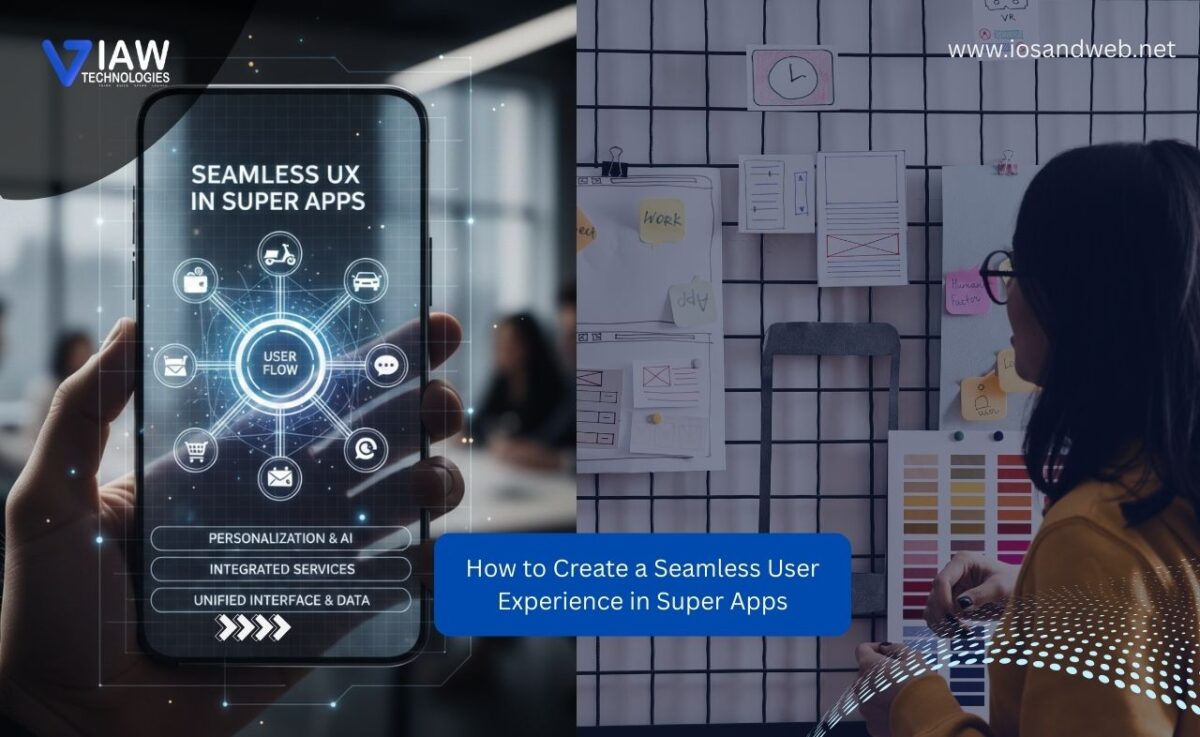
How to Create a Seamless User Experience in Super Apps

Super apps have revolutionized how users interact with digital services. Instead of cluttering your phone with dozens of different apps for messaging, payments, food delivery, shopping, and ride-hailing, super apps consolidate everything into one unified platform. This shift highlights the importance of Seamless User Experience in Super Apps, ensuring users can navigate multiple services effortlessly. WeChat, Grab, Gojek, and Alipay have mastered this approach, serving hundreds of millions of users daily.

But here’s the challenge: creating a seamless user experience in super apps is exponentially more complex than designing a single-purpose application. How do you integrate multiple services without overwhelming users? How do you maintain consistency across diverse functionalities? And most importantly, how do you ensure that adding more features actually enhances rather than degrades the user experience?

In this comprehensive guide, we’ll explore the essential principles, strategies, and best practices for super app design that delivers truly seamless user experiences.

Understanding the Super App Phenomenon

What Defines a Super App?

A super app is an all-in-one platform that combines multiple services and functionalities within a single application ecosystem. Unlike traditional apps that focus on one core function, super apps offer diverse services—from messaging and payments to e-commerce and transportation—all accessible without leaving the app environment.

The concept originated in Asia, where apps like WeChat transformed from simple messaging platforms into comprehensive digital ecosystems. Today, the super app model is spreading globally as companies recognize the value of keeping users within their ecosystem.

Why Super App Design Matters More Than Ever

With attention spans shrinking and app fatigue setting in, users prefer consolidated experiences over managing multiple applications. However, the same users who appreciate convenience will quickly abandon a super app if the experience feels cluttered, confusing, or inconsistent. This makes exceptional super app design not just desirable—it’s absolutely essential for survival in a competitive market.

Core Principles of Seamless Super App Design

Creating a cohesive experience across multiple services requires adherence to fundamental design principles that prioritize user needs above feature accumulation.

1. Progressive Disclosure: Show, Don’t Overwhelm

The cardinal rule of super app design is never to present users with everything at once. Progressive disclosure means revealing features and information gradually, based on user needs and context.

Implementation strategies:

  • Smart home screens: Display only the most frequently used services prominently, with secondary features accessible through intuitive navigation
  • Contextual feature discovery: Introduce new services when they’re relevant to the user’s current activity
  • Personalized dashboards: Use machine learning to customize the interface based on individual usage patterns
  • Onboarding sequences: Guide new users through core features first, allowing them to discover advanced functionalities organically

Grab excels at this approach. New users initially see ride-hailing and food delivery options prominently displayed, while financial services and other offerings become visible as users explore the app or as their usage patterns indicate potential interest.

2. Unified Navigation Architecture

Navigation complexity increases exponentially with each added service. A seamless user experience in super apps demands navigation that feels intuitive regardless of which service the user is accessing.

Key navigation design elements:

  • Persistent bottom navigation: Reserve this prime real estate for your most critical services (typically 3-5 main categories)
  • Consistent back button behavior: Users should always understand how to return to previous screens or exit to the home dashboard
  • Breadcrumb trails: For complex, multi-step processes within services, show users where they are in the journey
  • Universal search functionality: Allow users to find any service, feature, or content through a single search interface
  • Quick access menu: Provide a customizable favorites or shortcuts section for power users

The navigation structure should create clear mental models. Users should instinctively know whether swiping, tapping a bottom menu item, or using a hamburger menu will take them where they need to go.

3. Visual and Interaction Consistency

When users move between different services within your super app, consistency in design language reassures them they’re still in familiar territory.

Essential consistency elements:

  • Color schemes and typography: Maintain consistent primary and secondary colors, font families, and text hierarchies across all services
  • Button styles and placements: Primary action buttons should look and behave identically whether users are booking a ride or ordering food
  • Icon design language: Use a cohesive icon set with consistent styling, whether outlined, filled, or flat
  • Animation and transitions: Apply uniform motion design principles across all features
  • Form design patterns: Input fields, validation messages, and submission processes should follow identical patterns

However, consistency doesn’t mean monotony. You can use subtle variations—like accent colors or service-specific illustrations—to help users distinguish between different functionalities while maintaining overall coherence.

Advanced Strategies for Super App Design Excellence

Beyond foundational principles, successful super apps implement sophisticated strategies that elevate the user experience from good to exceptional.

Creating Unified Identity and Authentication

One of the most frustrating aspects of using multiple apps is managing different accounts and login credentials. Super apps eliminate this pain point by providing seamless authentication across all services.

Best practices for unified identity:

  • Single sign-on (SSO): Users create one account that grants access to all services within the ecosystem
  • Biometric authentication: Enable fingerprint or face recognition for quick, secure access
  • Session persistence: Keep users logged in across services without requiring repeated authentication
  • Profile synchronization: Ensure user information (name, photo, preferences) remains consistent across all features

WeChat pioneered this approach, allowing users to seamlessly transition from chatting with friends to paying bills to booking services—all with the same identity and without interruption.

Implementing Cross-Service Integration

The true power of super app design emerges when services don’t just coexist but actively enhance each other through intelligent integration.

Integration opportunities:

  • Contextual service suggestions: When users book a restaurant, suggest ride-hailing options automatically
  • Unified wallet and payment system: Let users maintain one balance or payment method across all services
  • Shared favorites and history: Allow users to save addresses, preferences, and frequent orders that work across multiple services
  • Cross-service notifications: Consolidate alerts intelligently rather than bombarding users with separate notifications for each service
  • Unified loyalty programs: Create reward systems that encourage users to engage with multiple services

Gojek demonstrates excellent cross-service integration. When you order food, the app automatically suggests rides to restaurants, integrates with your saved addresses from previous trips, and applies loyalty points earned across different services.

Designing for Performance and Speed

A seamless user experience in super apps demands exceptional performance. Users expect each service to load instantly, regardless of how many features the app contains.

Performance optimization techniques:

  • Lazy loading: Load service modules only when users access them rather than at app launch
  • Efficient caching strategies: Store frequently accessed data locally to minimize server requests
  • Progressive web app (PWA) integration: For lighter features, consider web-based components that reduce app size
  • Image and asset optimization: Compress graphics without sacrificing quality
  • Background processing: Handle non-critical tasks asynchronously to maintain interface responsiveness
  • Modular architecture: Build services as independent modules that can be updated without affecting the entire app

Technical performance directly impacts user perception. Studies show that even a one-second delay in load time can reduce conversions by 7%, making performance optimization crucial for super app success.

Personalization and Customization

No two users interact with super apps identically. Some use them primarily for payments, others for transportation, and still others for shopping. Effective super app design accommodates this diversity through intelligent personalization.

Personalization strategies:

  • Adaptive home screens: Rearrange service tiles based on individual usage patterns
  • Smart recommendations: Use machine learning to suggest services, products, or actions based on user behavior
  • Customizable interfaces: Allow users to manually organize their most-used features
  • Contextual adaptations: Adjust interface elements based on time of day, location, or recent activity
  • Preference memory: Remember user choices (favorite restaurants, usual ride destinations, preferred payment methods)

Amazon’s app, while not a traditional super app, demonstrates excellent personalization by showing different users completely different home screens based on their browsing and purchase history.

Navigating Common Super App Design Challenges

Creating a seamless user experience in super apps involves overcoming unique challenges that don’t exist in single-purpose applications.

Managing Feature Bloat

The biggest temptation—and danger—in super app design is continuously adding features without considering their impact on overall user experience.

Solutions for preventing feature bloat:

  • Regular usage audits: Analyze which features users actually engage with and consider deprecating underperforming ones
  • Clear feature hierarchy: Not every feature deserves equal prominence; prioritize based on user value
  • Phased rollouts: Test new services with limited user groups before full deployment
  • User research and feedback: Regularly validate that new additions solve real user problems
  • Sunset policies: Establish criteria for when and how to remove features that don’t meet adoption goals

The graveyard of failed super apps is filled with platforms that became so bloated and confusing that users abandoned them for simpler alternatives.

Maintaining Focus Within Complexity

When users open your super app to accomplish a specific task, distractions can derail their journey and create frustration.

Design tactics for maintaining focus:

  • Clear entry points: Make it obvious how to access each service from the home screen
  • Minimal cross-promotion during tasks: Resist aggressively promoting other services when users are mid-task
  • Task-oriented flows: Design each service with clear beginning, middle, and end states
  • Easy exit paths: Always provide clear ways to cancel or return to the main menu
  • Contextual rather than interruptive suggestions: If you do suggest other services, do so in ways that feel helpful rather than intrusive

Ensuring Accessibility Across Services

A truly seamless experience must be accessible to all users, including those with disabilities. This becomes particularly challenging when integrating multiple services built by different teams.

Accessibility requirements for super apps:

  • Consistent screen reader support: Ensure all services work equally well with assistive technologies
  • Uniform text scaling: Allow font size adjustments that apply across all features
  • Color contrast compliance: Maintain WCAG standards throughout the app
  • Alternative input methods: Support voice commands, switch control, and other accessibility features universally
  • Accessibility testing protocols: Establish processes for evaluating each new service against accessibility standards

Measuring Success: UX Metrics for Super Apps

You can’t improve what you don’t measure. Track these metrics to evaluate the effectiveness of your super app design:

Engagement Metrics

  • Cross-service usage rate: Percentage of users engaging with multiple services
  • Session duration: Time users spend in the app per session
  • Return frequency: How often users come back to the app
  • Feature adoption rate: Speed and extent of new feature uptake

User Satisfaction Metrics

  • Net Promoter Score (NPS): Overall user satisfaction and likelihood to recommend
  • Task completion rate: Percentage of users who successfully complete intended actions
  • Error rate: Frequency of user errors or support requests
  • User effort score: How easy users find it to accomplish tasks

Technical Performance Metrics

  • App launch time: How quickly the app becomes usable
  • Service load times: Speed of accessing individual features
  • Crash rate: Frequency of technical failures
  • API response times: Backend performance affecting user experience

Regular analysis of these metrics helps identify friction points and opportunities for improvement in your super app design.

Real-World Super App Design Excellence

Let’s examine how leading super apps have implemented these principles to create truly seamless experiences.

WeChat: The Pioneer of Integration

WeChat’s genius lies in how naturally services blend into social interaction. Users can chat with friends, split restaurant bills, book doctor appointments, and pay utilities without feeling like they’re jumping between different apps. The super app design feels cohesive because every feature connects back to the core social experience.

Key takeaway: Build new services around your core user activity rather than forcing unrelated features into the experience.

Grab: Localized Excellence

Grab succeeded in Southeast Asia by understanding regional needs and designing accordingly. Their seamless user experience in super apps accounts for connectivity challenges, multiple languages, and diverse payment preferences across different markets.

Key takeaway: A one-size-fits-all approach doesn’t work for super apps serving diverse markets. Localize thoughtfully.

Alipay: Trust Through Simplicity

Despite offering hundreds of services, Alipay maintains clarity through excellent categorization and search functionality. Users can easily find what they need without wading through irrelevant options.

Key takeaway: Organization and findability become increasingly important as you add more services.

The Future of Super App Design

As super apps continue evolving, several trends will shape the next generation of super app design:

  • AI-driven personalization: Machine learning will create increasingly individualized experiences
  • Voice and conversational interfaces: More natural ways to access services within super apps
  • Augmented reality integration: AR features will enhance shopping, navigation, and other services
  • Blockchain and Web3 integration: Decentralized services within centralized platforms
  • Cross-platform synchronization: Seamless experiences across mobile, web, and emerging platforms

Conclusion: Design for Humans, Not Features

Creating a seamless user experience in super apps ultimately comes down to one principle: design for human needs, not feature lists. Every service you add should make the app more valuable, not more complicated. Every design decision should reduce friction, not create it.

The most successful super app design strategies share common DNA: they prioritize user goals over business objectives, they reduce cognitive load rather than increasing it, they integrate services naturally rather than forcing connections, and they evolve based on user feedback rather than assumptions.

As you embark on your super app journey, remember that seamlessness isn’t achieved by hiding complexity—it’s achieved by thoughtfully organizing complexity in ways that feel simple and intuitive to users. Start with a solid foundation of consistent design patterns, unified navigation, and cross-service integration. Build slowly, test rigorously, and always keep the user’s perspective at the center of every decision.

The super app landscape will continue evolving, but the fundamental principles of great user experience design remain constant: understand your users, respect their time, anticipate their needs, and make their lives easier. Master these principles, and you’ll create super apps that users don’t just use—they love.

Categories
Blog

A Complete Guide to AI-Driven Software Solutions for Beginners

The technology landscaxpe is experiencing a seismic shift. Walk into any software development conference, scroll through tech Twitter, or eavesdrop on a startup pitch meeting, and you’ll hear the same buzzwords repeated: artificial intelligence, machine learning, automation. But here’s what most people won’t tell you—AI-driven software solutions aren’t just for tech giants with unlimited budgets anymore. They’re becoming the great equalizer, allowing beginners and small teams to build sophisticated applications that were once the exclusive domain of Fortune 500 companies.

If you’ve been curious about how AI is transforming software development but felt intimidated by the jargon and complexity, you’re in exactly the right place. This guide will walk you through everything you need to know about AI-driven software solutions, from the fundamental concepts to practical implementation strategies that you can start using today.

What Are AI-Driven Software Solutions, Really?

Let’s cut through the marketing hype. AI-driven software solutions are applications that leverage artificial intelligence technologies—like machine learning, natural language processing, or computer vision—to perform tasks that traditionally required human intelligence. Unlike traditional software that follows rigid, pre-programmed rules, AI-powered applications can learn from data, adapt to new situations, and improve their performance over time.

Think of it this way: traditional software is like following a recipe exactly. You add ingredients in a specific order, cook at a precise temperature, and get predictable results. AI-driven software, on the other hand, is like a chef who learns from thousands of recipes, understands flavor profiles, and can improvise based on available ingredients and diner preferences.

The Core Components of AI Software

Before diving deeper, it’s helpful to understand the building blocks that make AI-driven software solutions tick:

Machine Learning Algorithms: These are the mathematical models that enable software to learn patterns from data without explicit programming. When Netflix recommends shows you might like, that’s machine learning in action.

Data Processing Pipelines: AI systems need quality data to function effectively. These pipelines collect, clean, and prepare data for analysis—think of them as the digestive system of AI applications.

Neural Networks: Inspired by the human brain, these interconnected layers of algorithms excel at recognizing complex patterns in images, text, and other data types.

Natural Language Processing (NLP): This technology allows software to understand and generate human language, powering everything from chatbots to content generation tools.

Why Should Beginners Care About AI-Driven Software?

You might be wondering: “I’m just starting out in software development—isn’t AI way too advanced for me?” That’s exactly the mindset that could leave you behind. Here’s the reality: the barrier to entry for AI-driven software solutions has never been lower.

The Democratization of AI Technology

Five years ago, building an AI-powered application required a PhD in computer science, access to massive computing infrastructure, and months of development time. Today, platforms like TensorFlow, PyTorch, and cloud-based AI services from Google, Amazon, and Microsoft have made it possible for beginners to integrate sophisticated AI capabilities into their projects within hours.

Consider these compelling reasons to explore AI as a beginner:

Market Demand: Companies across every industry are desperately seeking professionals who understand AI integration. Learning these skills now positions you for career opportunities that didn’t exist a decade ago.

Competitive Advantage: Whether you’re building a startup or working on side projects, incorporating AI features can differentiate your work from competitors who rely solely on traditional approaches.

Problem-Solving Power: AI opens doors to solving problems that were previously unsolvable with conventional programming—from predicting customer behavior to automating complex decision-making processes.

Automation of Tedious Tasks: One of the most immediate benefits of AI-driven software solutions is their ability to handle repetitive, time-consuming tasks, freeing you to focus on creative problem-solving.

Types of AI-Driven Software Solutions You Should Know

The world of AI software is vast, but for beginners, it helps to understand the main categories and their practical applications. Let’s explore the most accessible and impactful types.

1. Chatbots and Virtual Assistants

These conversational AI applications have become ubiquitous on websites, messaging platforms, and mobile apps. They use natural language processing to understand user queries and provide relevant responses.

Beginner-Friendly Platforms: Dialogflow, Microsoft Bot Framework, and Rasa offer intuitive interfaces for building chatbots without extensive coding knowledge. You can create a functional customer service bot in an afternoon.

Real-World Applications: Customer support automation, appointment scheduling, FAQ handling, and lead generation. E-commerce sites use chatbots to guide customers through product selections, while healthcare providers deploy them for symptom checking and appointment reminders.

2. Predictive Analytics Tools

These AI-driven software solutions analyze historical data to forecast future trends, behaviors, and outcomes. They’re incredibly valuable for business intelligence and decision-making.

How They Work: Machine learning algorithms identify patterns in your data—sales figures, website traffic, customer behavior—and project likely future scenarios based on those patterns.

Practical Uses: Sales forecasting, inventory management, customer churn prediction, and fraud detection. Even small businesses can use tools like Google Analytics with AI features or platforms like Tableau to gain predictive insights.

3. Computer Vision Applications

Computer vision enables software to interpret and understand visual information from the world—essentially giving applications the power of sight.

Beginner Entry Points: Cloud-based APIs from Google Cloud Vision, Amazon Rekognition, or Azure Computer Vision allow you to add image recognition capabilities to your applications without building models from scratch.

Common Applications: Facial recognition for security systems, quality control in manufacturing, medical image analysis, augmented reality filters, and autonomous vehicle navigation.

4. Recommendation Systems

Ever wondered how Spotify knows exactly what song you want to hear next? That’s the magic of recommendation engines—AI-driven software solutions that suggest products, content, or actions based on user behavior and preferences.

Implementation Approaches: Collaborative filtering (recommending based on similar users), content-based filtering (recommending similar items), or hybrid systems that combine multiple approaches.

Business Impact: Amazon attributes 35% of its revenue to its recommendation engine. For beginners, platforms like Recombee and AWS Personalize make it relatively simple to add recommendation features to your applications.

Getting Started: Your First Steps Into AI Development

Feeling ready to dive in? Here’s a practical roadmap for beginners who want to work with AI-driven software solutions without getting overwhelmed.

Step 1: Build Your Foundation

Before touching AI-specific tools, ensure you’re comfortable with these fundamentals:

Programming Basics: Python is the undisputed king of AI development, with extensive libraries and community support. If you’re completely new to programming, invest 2-3 months learning Python basics—variables, loops, functions, and object-oriented programming.

Statistics and Probability: You don’t need a mathematics degree, but understanding concepts like mean, median, standard deviation, and probability distributions will help you grasp how AI algorithms make decisions.

Data Handling Skills: Learn to work with libraries like Pandas for data manipulation and NumPy for numerical operations. Most AI projects spend 80% of their time on data preparation, so these skills are invaluable.

Step 2: Choose Your Learning Path

The AI field is broad, so pick a specialization that aligns with your interests:

Natural Language Processing: If you’re fascinated by language and communication, explore libraries like spaCy, NLTK, or Hugging Face Transformers. Build text classifiers, sentiment analyzers, or simple chatbots.

Computer Vision: If visual problems intrigue you, start with OpenCV for image processing and progress to TensorFlow or PyTorch for deep learning-based vision tasks.

Predictive Modeling: If you’re business-minded, focus on scikit-learn for building machine learning models that forecast outcomes and classify data.

Step 3: Leverage Pre-Built Solutions

Here’s a secret that will accelerate your journey: you don’t need to build everything from scratch. The ecosystem of AI-driven software solutions includes numerous pre-trained models and APIs that you can integrate directly into your applications.

Cloud AI Services: Google Cloud AI, AWS AI Services, and Azure Cognitive Services offer ready-to-use capabilities for text analysis, image recognition, speech processing, and more. These services handle the complex AI infrastructure while you focus on application logic.

Open-Source Pre-Trained Models: Hugging Face hosts thousands of pre-trained models for various tasks. Need a language translation feature? There’s a model for that. Want to classify images? Download a pre-trained ResNet or EfficientNet model and fine-tune it for your specific use case.

Low-Code AI Platforms: Tools like Google AutoML, Microsoft Azure ML Studio, and IBM Watson Studio provide visual interfaces for building machine learning models without extensive coding. They’re perfect for beginners who want to experiment and learn.

Common Challenges and How to Overcome Them

Let’s be honest—working with AI-driven software solutions comes with challenges, especially for beginners. Anticipating these obstacles can help you navigate them more effectively.

The Data Quality Problem

AI systems are only as good as the data they’re trained on. Poor quality data leads to unreliable predictions and flawed insights.

Solution: Start small with clean, well-labeled datasets. Platforms like Kaggle offer thousands of curated datasets perfect for learning. As you progress, develop strong data cleaning habits—removing duplicates, handling missing values, and validating data integrity.

The Complexity Overwhelm

The AI field moves at breakneck speed, with new techniques, frameworks, and best practices emerging constantly. This can feel overwhelming.

Solution: Focus on fundamentals rather than chasing every new trend. Master one framework thoroughly before jumping to the next. Join communities like r/MachineLearning or AI Discord servers where you can ask questions and learn from others’ experiences.

The Black Box Dilemma

Many AI models, particularly deep neural networks, operate as “black boxes”—they produce accurate results, but it’s difficult to understand exactly how they reached those conclusions.

Solution: Start with interpretable models like decision trees or linear regression. As you build confidence, explore explainability tools like SHAP or LIME that help visualize how complex models make decisions.

Resource Constraints

Training sophisticated AI models can require significant computational power, which might seem inaccessible to beginners.

Solution: Utilize free cloud computing resources. Google Colab offers free GPU access, perfect for learning and small projects. Kaggle provides free computing kernels. Start with smaller models and datasets, then scale as your needs and resources grow.

Best Practices for Building AI-Driven Applications

As you begin creating your own AI-driven software solutions, keep these principles in mind to ensure success.

Start With Clear Objectives

Define exactly what problem you’re solving before writing a single line of code. AI isn’t magic—it’s a tool for specific purposes. Ask yourself: What decision or prediction does this system need to make? What would success look like? How will users benefit?

Embrace Iterative Development

Build the simplest version first. Get it working, evaluate performance, then gradually add complexity. This approach, called the “minimum viable model,” helps you learn faster and avoid wasting time on unnecessary features.

Prioritize Ethics and Fairness

AI systems can inadvertently perpetuate biases present in training data. Even as a beginner, develop awareness around ethical considerations. Ensure diverse, representative datasets and regularly test your systems for unfair outcomes across different user groups.

Document Everything

Keep detailed notes about your data sources, model architectures, hyperparameters, and results. This practice will save you countless hours when debugging or trying to reproduce results weeks later.

The Future Is Yours to Build

The journey into AI-driven software solutions might seem daunting, but remember: every expert was once a beginner. The tools, resources, and community support available today make this the perfect time to start exploring artificial intelligence.

Whether you’re looking to enhance your career prospects, build innovative products, or simply satisfy your curiosity about how modern technology works, AI offers endless opportunities for learning and creation. The key is to start small, stay consistent, and embrace the learning process—mistakes and all.

The software you build tomorrow could solve problems we haven’t even identified today. That’s the real power of AI-driven development: it doesn’t just automate existing processes; it enables entirely new possibilities. So pick a project, choose a tool, and write your first line of AI-enhanced code. The future of software is waiting for you to help shape it.

Ready to transform from curious observer to AI builder? The journey begins with a single step—and this guide has given you the roadmap to take it.